A buzzing light switch is often caused by a dimmer switch, loose wiring, incompatible LED bulbs, or worn internal switch contacts. Some faint humming can be normal, but loud buzzing, crackling, heat, or flickering may indicate a potentially dangerous electrical problem.

Quick Answer
Normal vs. Dangerous Buzzing
Start With These Quick Checks
Common Causes
How to Diagnose the Problem
How to Fix a Buzzing Light Switch
When to Replace the Switch
When to Call an Electrician
FAQs
A buzzing or humming light switch can be unsettling because electrical noise often suggests something isn’t working properly.
In many cases, the issue is relatively minor—especially with dimmer switches. But sometimes buzzing points to loose electrical connections, failing switch contacts, overheating, or wiring problems that should be corrected quickly.
The key is learning the difference between:
- Normal dimmer hum
- Bulb compatibility noise
- Potentially hazardous electrical buzzing
Quick Answer
A light switch buzzing sound is usually caused by:
- A dimmer switch
- Loose wiring
- Worn switch contacts
- Incompatible LED bulbs
- Electrical arcing inside the switch
A faint hum from some dimmer switches can be normal.
However, loud buzzing, crackling, flickering lights, heat, or inconsistent switch operation usually indicates a problem that should be repaired.
Bottom line: Quiet dimmer hum may be harmless. Loud or worsening buzzing is not.

Don’s Advice
A standard toggle switch should normally operate silently.
If you hear loud buzzing, crackling, or sizzling—especially along with flickering or warmth—the safest assumption is that something inside the switch or wiring is failing.
Normal vs. Dangerous Buzzing
Not all switch noise means the same thing.
Here’s a general guide:
| Type of Noise | Likely Meaning |
|---|---|
| Very faint dimmer hum | Often normal |
| Buzzing only when dimmed | Bulb/dimmer compatibility issue |
| Loud buzzing | Loose wiring or failing switch |
| Crackling or sizzling | Possible electrical arcing |
| Buzzing with flickering lights | Poor electrical connection |
| Buzzing with heat | Potential overheating hazard |
A faint electronic hum from some dimmers—particularly older models—is fairly common.
But a standard on/off switch should not buzz loudly.
Start With These Quick Checks
Before removing the switch, try these simple checks:
- Replace the light bulb with a known-compatible bulb
- Determine whether the switch is a dimmer
- Listen for changes while dimming
- Check for flickering lights
- See whether the switch feels warm
- Notice whether the sound is getting worse over time
Many buzzing problems turn out to be caused by incompatible LED bulbs paired with older dimmer switches.
Common Causes of a Buzzing Light Switch
Dimmer switch operation
Dimmer switches regulate electrical current electronically, which can sometimes create vibration inside the switch or bulb filament.
This often produces a mild hum.
Older dimmers and cheaper LED bulbs are especially prone to this issue.
See:
How Dimmer Switches Work and How to Install One
Loose wiring
Loose terminal connections can create resistance and tiny electrical vibrations that produce buzzing sounds.
Over time, loose connections may overheat or arc.
This is one of the more serious causes of switch buzzing.
Worn switch contacts
Inside every switch are metal contacts that repeatedly open and close the electrical circuit.
As these contacts wear or pit over time, electrical flow may become inconsistent, causing buzzing or crackling.
Backstabbed wiring connections
Some switches use push-in “backstab” wire connections instead of screw terminals.
These can loosen over time and sometimes contribute to buzzing, intermittent operation, or overheating.
Incompatible LED bulbs
Many LED bulbs require compatible dimmer switches.
If the bulb and dimmer are mismatched, you may hear:
- Buzzing
- Humming
- Flickering
- Chattering sounds
Overloaded switch or circuit
A switch controlling too many fixtures—or fixtures exceeding the switch rating—may begin buzzing under load.
This is more common with older dimmers.
How to Diagnose the Problem
Try to determine:
- Whether the noise comes from the switch or bulb
- Whether the switch is a dimmer
- Whether the buzzing changes when the lights are dimmed
- Whether the switch feels warm
- Whether the lights flicker or cut out intermittently
If the buzzing:
- gets louder,
- occurs with flickering,
- or accompanies heat or burning smells,
…turn off the circuit immediately until the problem is corrected.
How to Fix a Buzzing Light Switch
Safety Warning:
Before working on a light switch, always turn off power at the circuit breaker and confirm the circuit is de-energized using a non-contact voltage tester or multimeter.
Never rely solely on the wall switch being off.
1. Turn Off Power
Turn off the breaker controlling the switch circuit.
Verify the power is off before touching wiring.
2. Test With Different Bulbs
If using LEDs and a dimmer:
- Try a different bulb brand
- Verify dimmer compatibility
- Check the bulb packaging for “dimmable” labeling
A surprising number of buzzing complaints trace back to bulb incompatibility rather than defective wiring.
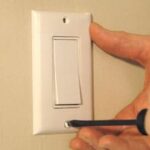
3. Remove the Cover Plate
Remove the switch cover plate and gently pull the switch outward from the electrical box.
Inspect carefully for:
- Loose terminal screws
- Burned insulation
- Darkened wires
- Loose backstabbed connections
- Signs of overheating
4. Tighten Wiring Connections
Secure all terminal screws firmly.
If wires are backstabbed into the rear of the switch, consider moving them to the side screw terminals instead.
Screw-terminal connections are generally more secure and reliable over time.
5. Replace the Switch
If the buzzing continues after tightening connections and verifying bulb compatibility, replace the switch.
Switches are inexpensive and wear out over time.
See:
How to Replace a Light Switch
6. Reduce Excessive Load
If the switch controls numerous fixtures or high-wattage lighting, verify that the switch rating matches the connected load.
Older dimmers especially may struggle with modern LED conversions.
Don’s Advice
If a buzzing switch also works intermittently, the internal contacts may already be deteriorating.
In that case, replacement is usually the safest and smartest solution.
If the switch also behaves unpredictably, see:
Light Switch Works Intermittently
When to Replace the Switch
Replace the switch if you notice:
- Loud or worsening buzzing
- Heat at the switch
- Flickering lights
- Crackling or sizzling
- Loose-feeling toggle movement
- Burned wires or insulation
Standard switches are inexpensive, and replacement is often faster than extensive troubleshooting.
When to Call an Electrician
Call an electrician if:
- You smell burning odors
- The switch feels hot
- The breaker trips repeatedly
- The wiring appears damaged
- You’re uncomfortable working around electrical wiring
Need Professional Help?
If the buzzing continues after replacing the switch or checking bulb compatibility, it’s safest to have a licensed electrician inspect the circuit.
FAQs
Is it normal for a dimmer switch to buzz?
A faint hum can be normal with some dimmer switches, especially older models or incompatible LED bulbs.
Can a buzzing switch cause a fire?
Yes. Loose wiring or overheating connections can potentially create dangerous arcing and fire hazards.
Why do LED bulbs make dimmer switches buzz?
Many LEDs require compatible dimmers designed specifically for low-power electronic drivers.
Should I replace a buzzing light switch?
If the buzzing is loud, worsening, accompanied by heat, or causing flickering, replacement is usually recommended.
Are backstabbed switches bad?
Backstab connections are permitted by code on many switches, but screw-terminal connections are generally considered more reliable long-term.